Sniffing HTTPS Traffic in Chromium with Wireshark

To decrypt traffic from Chromium (or Chrome), configure the browser to write TLS session keys to a log file, then configure Wireshark to read that file.
Chromium setup
/usr/local/bin/chromium --ssl-version-max=tls1.3 --ssl-key-log-file=/tmp/sslkeylog.log
(For convenience, you can create a shell alias for this command.)
Wireshark setup
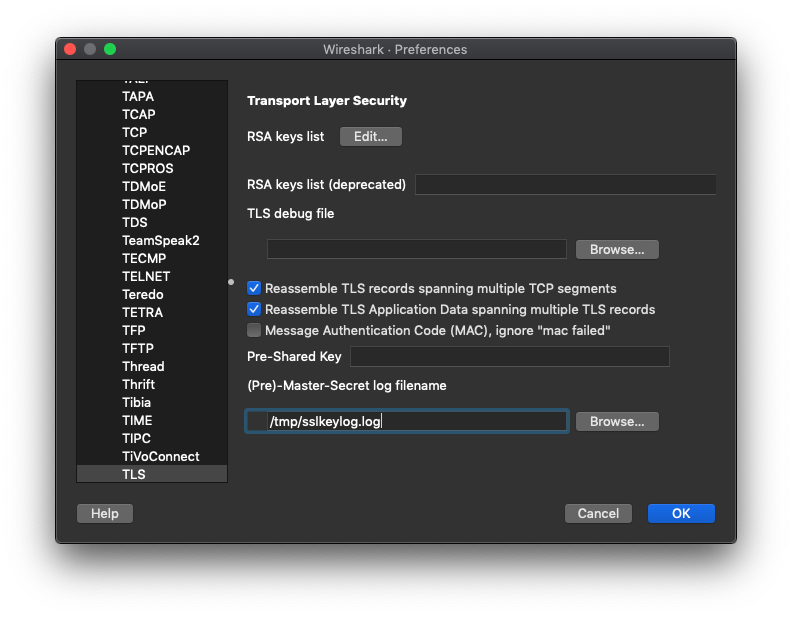
Go to Preferences > Protocols > TLS and specify the path to the key log file:
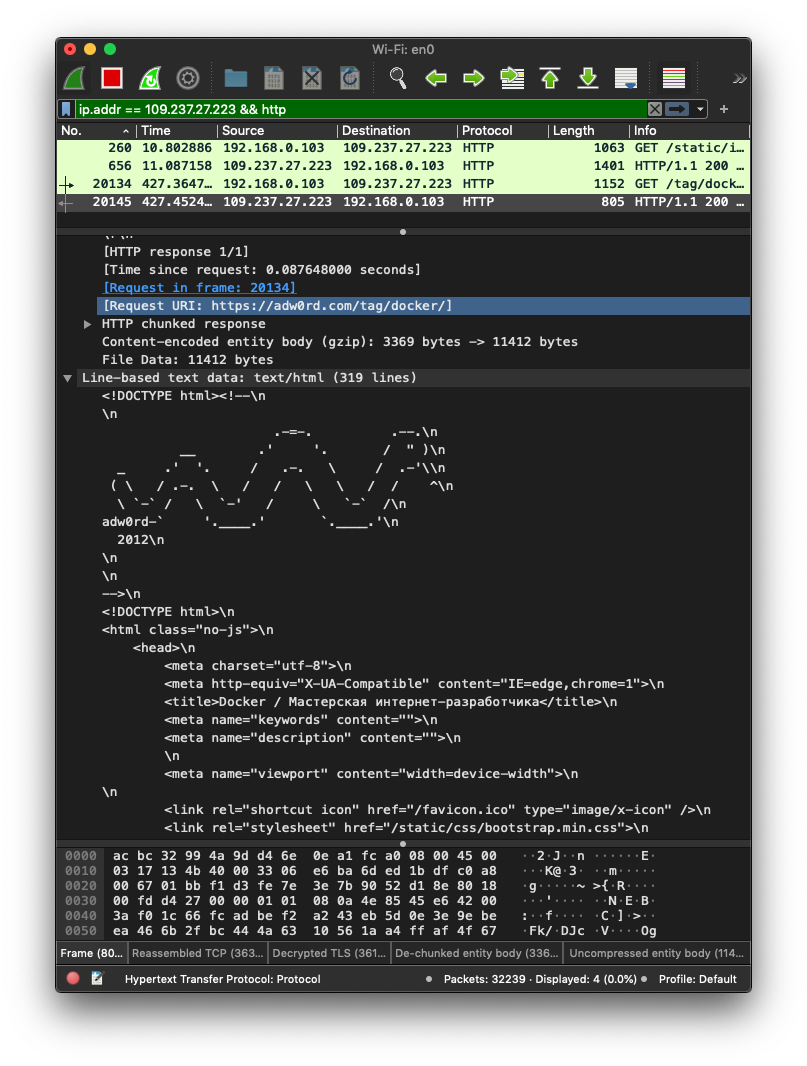
Wireshark can then display the decrypted traffic:
Recommended videos
Andrey Sozykin explains the process in more detail in these videos:
Comments are closed. Read the original discussion in Russian →